Voices
Browse the voice library, hear a sample, and pick the right voice for your agent.
The Voice library is where you listen to every voice your agents can speak with and match the sound to your brand — warm and friendly for support, crisp and professional for sales.
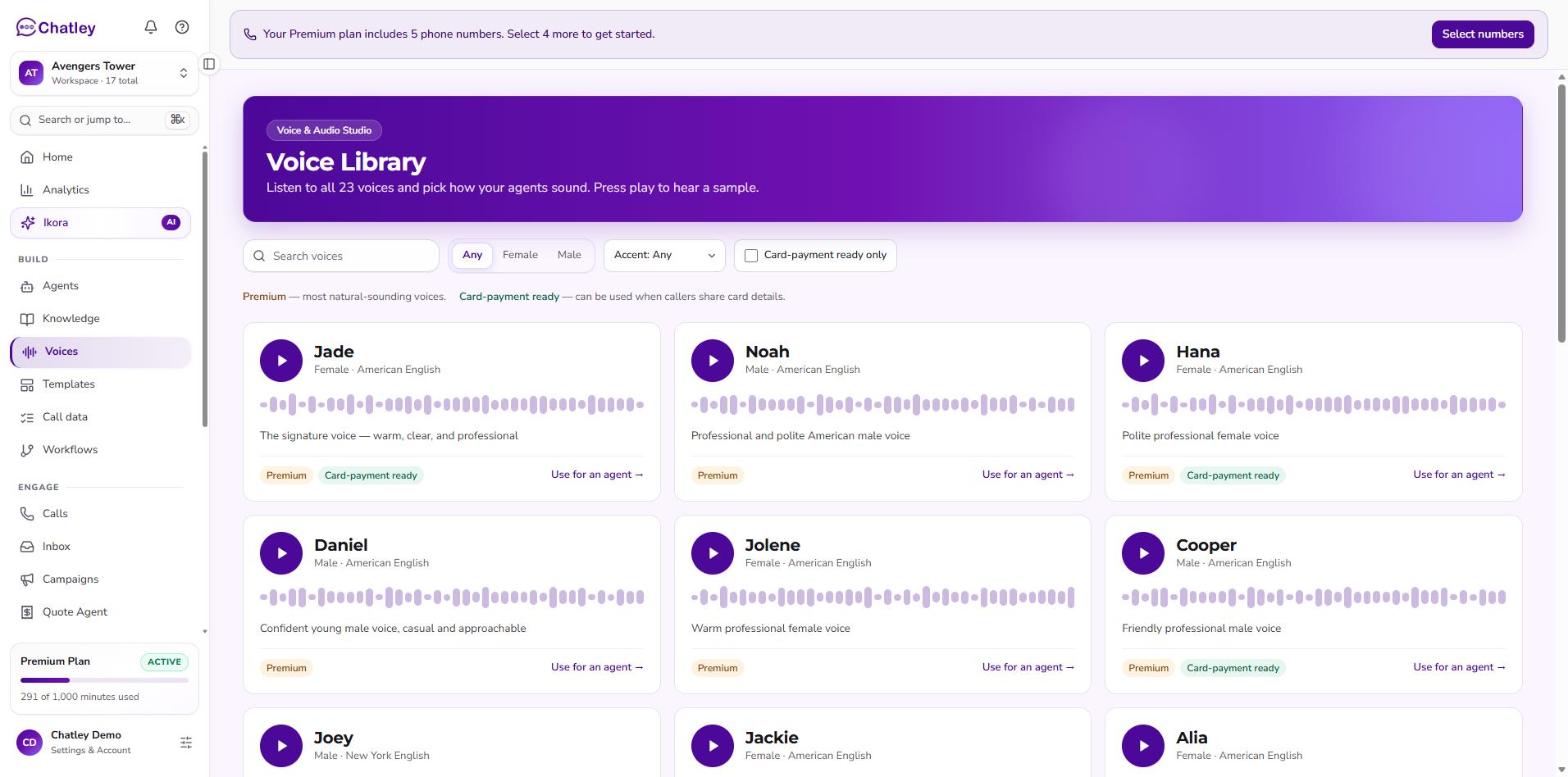 The Voice library. Press play on any card to hear a sample.
Browse and filter
Open Voices under Build. The page lists every voice with its gender, accent and a one-line description. Narrow the list with:
- Search voices by name.
- Any / Female / Male.
- Accent — American English, New York English and more.
- Card-payment ready only — see below.
Voices carry two kinds of tag:
| Tag | Meaning |
|---|---|
| Premium | The most natural-sounding voices. |
| Card-payment ready | Can be used when callers share card details. Required for an agent with Card payment mode (PCI) turned on. |
Hear a voice
Press the round play button on a card to play a short sample in your browser; press it again to stop. Listen to a few before you decide.
The sample is the voice reading a short line, not your agent's greeting. If a voice has no sample, its play button is disabled.
Use a voice
Choose Use for an agent on a card to start a new agent with that voice already selected. To change the voice of an agent you already have, open its Voice & conversation tab and choose Change.
Tips
- Match the accent and language to your callers.
- Listen on speakers or headphones — small differences are easier to hear than to read.
- Try the same script with two voices and keep the one that fits your brand.
Next steps
- Agents — assign a voice to an agent.
- Talk to Assistant — hear it on a live test call.