Templates
Start an agent from ready-made instructions for your industry, or save your own for reuse.
Templates are ready-made instructions and conversation flows for common jobs, so you do not write an agent from scratch. Chatley ships a library by industry, and you can save your own alongside it.
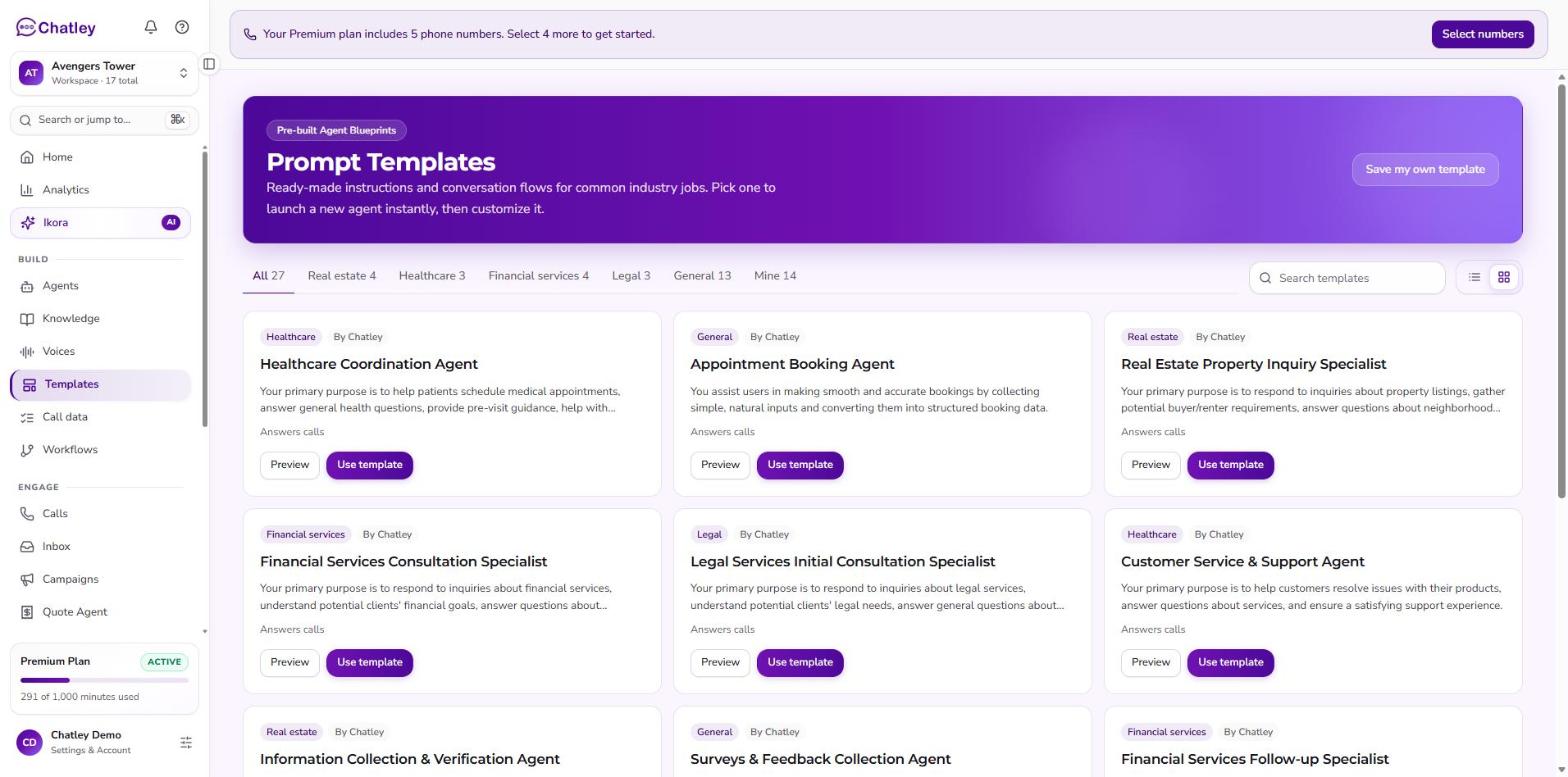 Prompt Templates. Tabs along the top filter by industry.
Browse the library
Open Templates under Build. The tabs along the top show how many templates each holds: All, Real estate, Healthcare, Financial services, Legal, General, and Mine for the ones you saved. Search by name, and switch between grid and list view.
Each card shows its industry, who made it (By Chatley or you), a short description and whether it answers calls or makes them.
Use a template
- Preview shows the full instructions before you commit.
- Use template starts a new agent from it. The agent opens ready to customise — change the greeting, voice, knowledge and anything else.
You can also load a template into an existing agent from its Instructions tab with Start from a template.
Using a template never changes the template itself, so you can adapt it per agent.
Placeholders
Templates can include fields such as {{agentName}}, {{customer.number}}, {{date}}
and {{time}}. Chatley fills these in for each call. Replace anything else in braces
with your own wording — for example your business name — before you go live, so the
agent never reads a placeholder aloud.
Save your own template
Choose Save my own template in the banner, give it a name, pick a category, and paste your instructions. Your templates appear in the same library, under Mine, and can be edited or deleted at any time. Built-in templates can be previewed and used but not changed — save your own version instead.
Troubleshooting
| Problem | What to check |
|---|---|
| Can't edit a template | Only templates you saved can be edited. Save a copy of the built-in one. |
| An agent reads a placeholder aloud | A {{field}} was left unreplaced in the agent's instructions. |