Approving quotes
Approve, edit or send back quotes from your phone or the dashboard, price jobs that need an inspection, and see what the customer receives.
Every quote the agent prepares comes to you before it reaches the customer, unless the job is set to send straight away. You can act on it from the text or email you receive, or from Quote Agent → Quotes.
Statuses
| Status | Meaning |
|---|---|
| Waiting for you | Priced and waiting for your approval. |
| Needs inspection | No price was given to the customer — the job wasn't on your list, or something the customer said means it needs a look. |
| Sent, no answer yet | Delivered to the customer by email and text. |
| Accepted / Declined | The customer answered. |
| Sent back | You returned it with a note instead of sending it. |
Approve from your phone
When a quote is ready you get a text and an email headed like "Quote #1042 · Front brakes · $819.04" with a link. The link opens the quote — no sign-in needed — where you can:
- Approve & send — the customer gets the quote by email and text.
- Change a line — edit quantities or prices, add a line, or set a quantity to 0 to remove it, then Save changes & recalculate.
- Send back — with a note saying what needs to change.
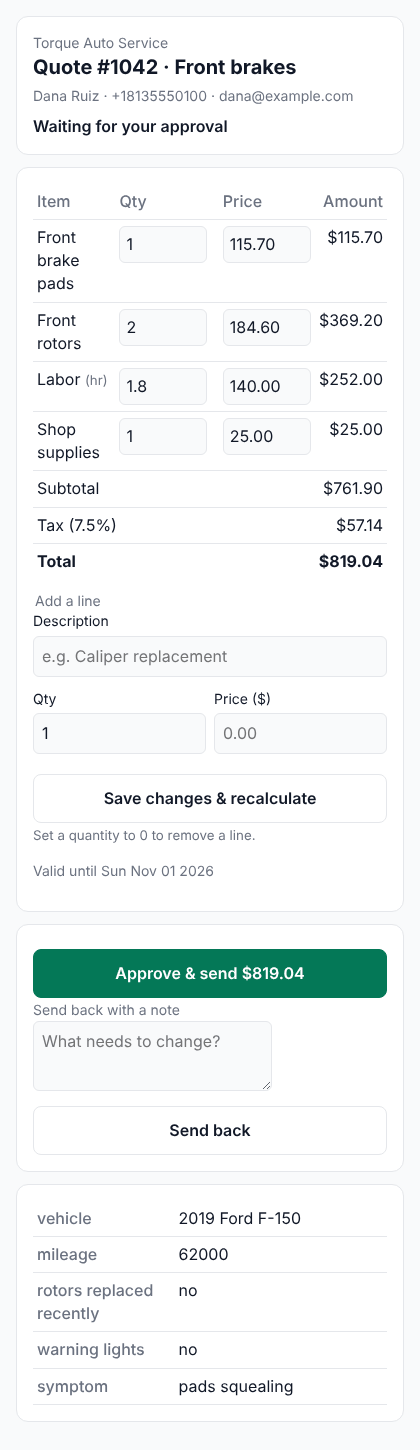
Approval links are private to each quote and expire after 14 days. Each action works once — if two people tap Approve, the customer still gets one quote.
Approve from the dashboard
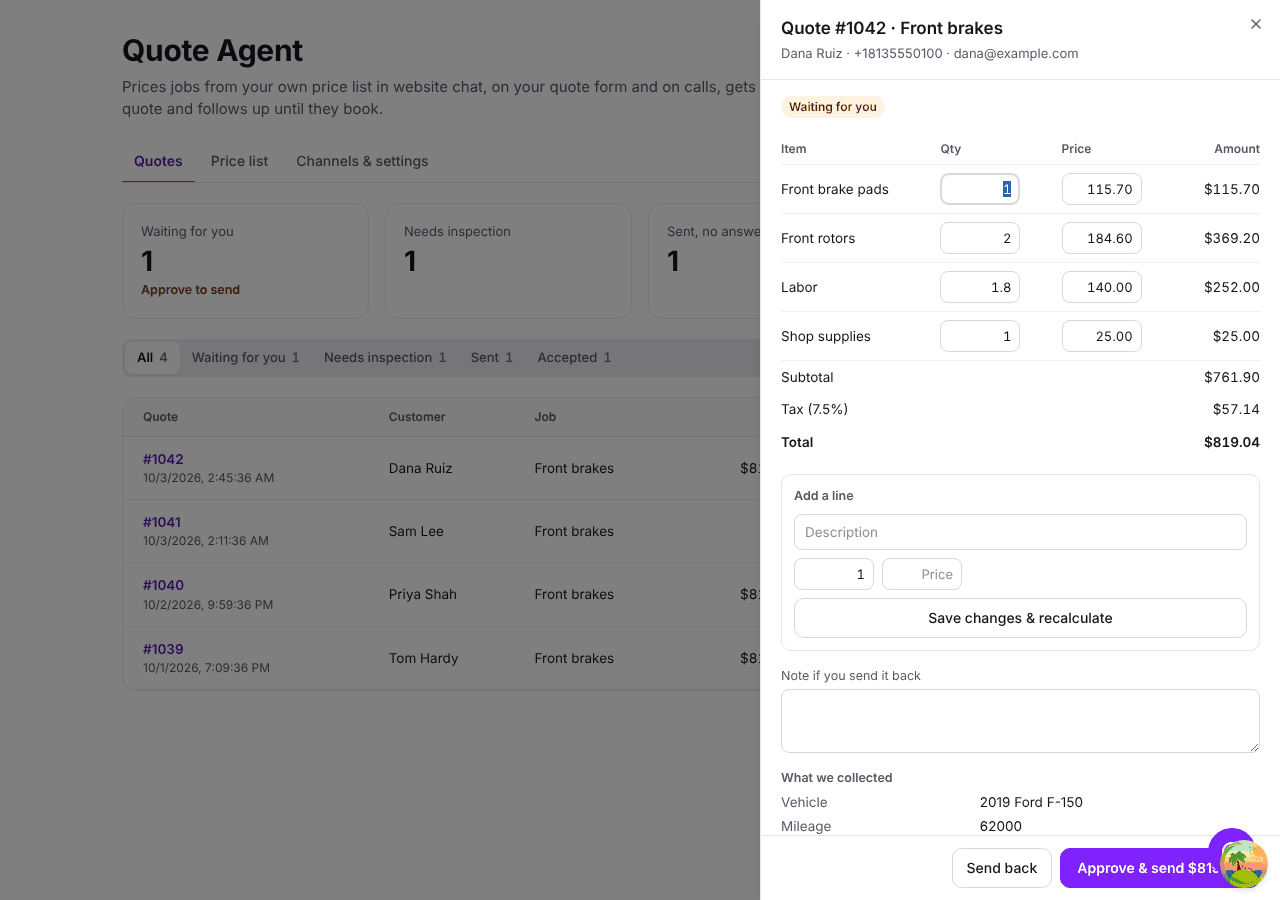
The Quotes tab lists every quote with its status. Click one to see the customer, what the agent collected, the lines and the history, with the same Approve & send, edit and Send back actions.
Price a job that needs an inspection
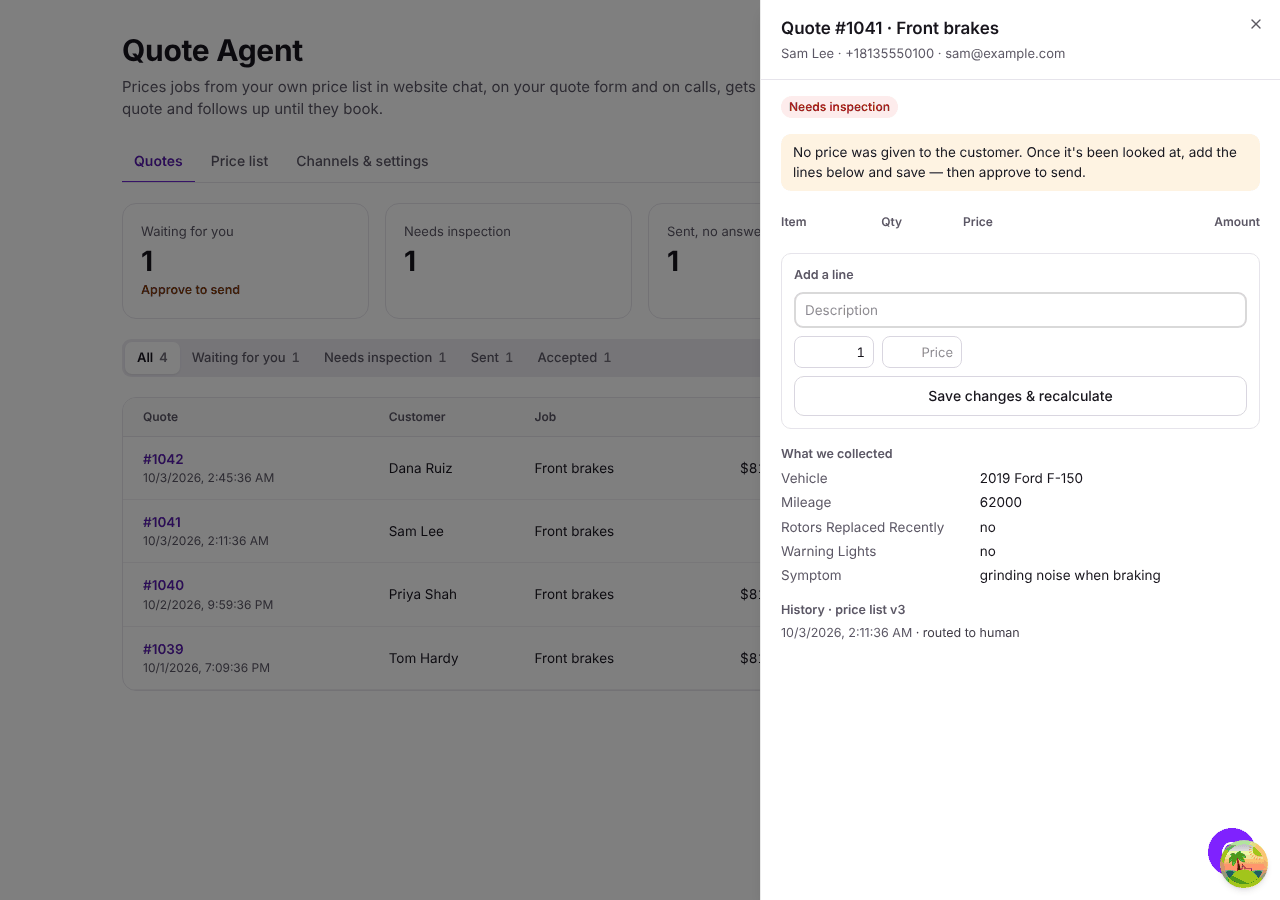
A Needs inspection quote has no lines yet. Once you know the price, add the lines and save — the quote moves to Waiting for you, and you can approve it to send.
What the customer receives
An email with the itemized quote, and a text with a link. The link opens the quote with Accept quote and No thanks, plus Pick a time if you set a booking link (otherwise Call to book). Your terms appear under the quote.
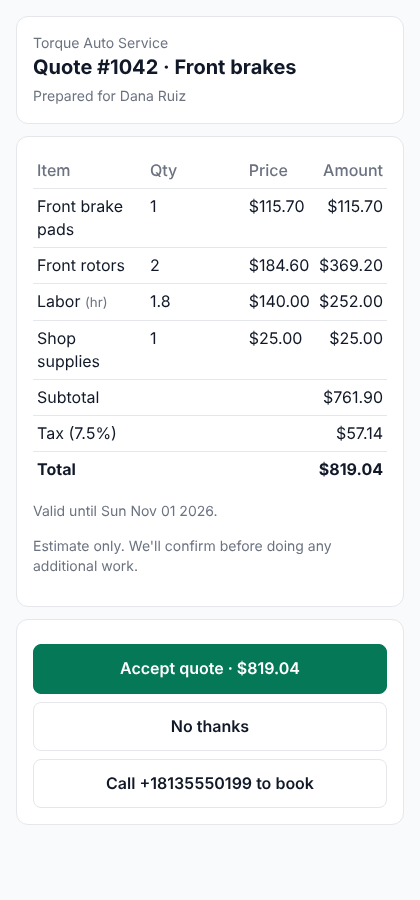
When the customer answers you get a text and email, the quote moves to Accepted or Declined, and any quote follow-up for that customer stops. A quote past its valid until date can't be accepted; the customer is asked to call for an updated price.
Texts go out from your agent's phone number — an agent without a number sends email only — and include "Reply STOP to opt out". To text customers your number must be registered for business texting — see Follow-ups. Email still goes out if texting isn't set up.
If neither an email nor a text can be delivered — no contact details, say — the quote stays approved and you're told so you can contact the customer yourself.