Follow-ups
Automatic texts, calls and emails that follow up on leads, quotes and calls — with ready-made recipes, stop rules and quiet hours.
Follow-ups send a short series of texts, calls and emails when something happens — a new lead, a sent quote, a finished call — and stop as soon as the customer replies, books or answers. Open your workspace and choose Follow-ups under Engage.
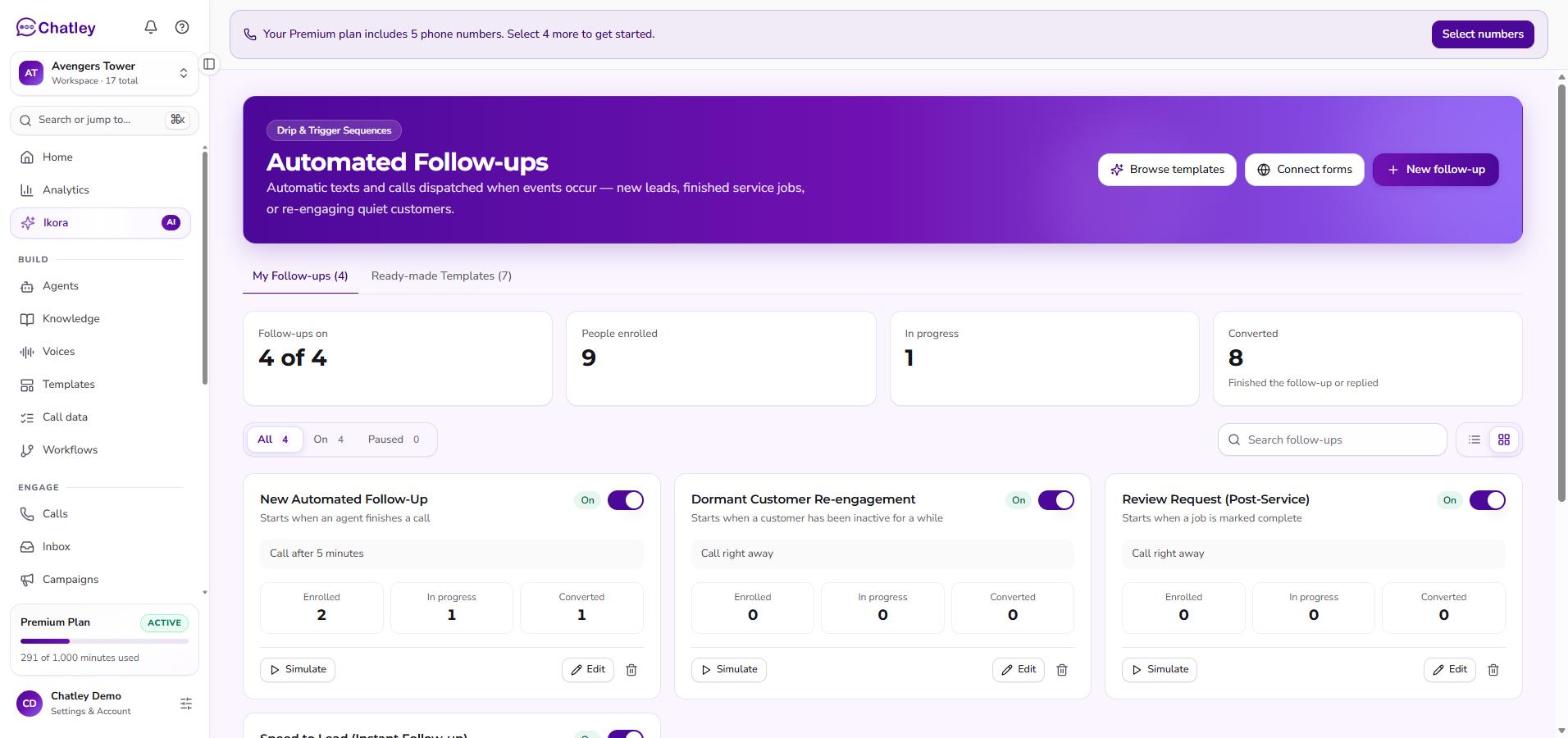
Follow-ups, with your own on one tab and ready-made ones on the other.
Find your way around
| Area | What it does |
|---|---|
| My follow-ups | The follow-ups you have turned on or built. Search them, filter them, switch each on or off, pause or delete. |
| Ready-made templates | Proven recipes. Choose Use this follow-up to add one to your account, then edit it. Reach the same list from Browse templates. |
| New follow-up | Build one from scratch. |
| Connect forms | Link a lead form so new submissions start a follow-up. |
A summary strip at the top shows how many follow-ups are on and how many people are enrolled. Until you have any, the page says You don't have any follow-ups yet and points you to Browse templates.
Ready-made follow-ups
Start from one of these. Every one is fully editable.
| Follow-up | Starts when | What it does |
|---|---|---|
| Reply to new leads fast | A new lead comes in | Texts within seconds, then has an agent call if they don't reply. |
| Ask for a review | A job is marked complete | Thanks the customer and asks for a review. |
| Win back quiet customers | A customer has been inactive for a while | Checks in with customers you haven't heard from. |
| Thank callers after a call | An agent finishes a call | Sends a summary or next steps. |
| Call back website enquiries | Your website form is submitted | An agent calls whoever filled in your contact form. |
| Follow up on a sent quote | A quote is sent to a customer | A text after 2 days, then an email 3 days later, each with the quote link. |
| Finish unfinished quote requests | Someone starts a quote request but doesn't finish | A text after 15 minutes, then an agent calls an hour later. |
The two quote follow-ups work with your Quote Agent. Follow up on a sent quote stops when the customer accepts, declines or books. Finish unfinished quote requests stops if they complete the form.
Build or edit a follow-up
- Starts when — the event that enrolls a contact.
- Steps — add as many as you need:
- Text — a message sent from your agent's number.
- Call — an agent calls the contact. Choose Which agent calls.
- Email — a subject and message, sent to the contact's email address. Each step has a delay after the one before it ("after 2 days").
- When to stop — Stop when they reply is on by default. A follow-up also stops when the contact books, or for quotes when they accept or decline.
- Nothing at night — texts and calls between 9 PM and 8 AM wait until morning. Choose the Time zone to use.
Use Preview to read the messages as a contact will see them, and Simulate to walk a pretend contact through the steps before you switch it on.
Personalize messages
These placeholders are filled in when each message is sent:
| Placeholder | Becomes |
|---|---|
{contact.name} | The contact's first name, or "there" if it isn't known. |
{business.name} | Your workspace name. |
{booking_link} | The booking link set in your Quote Agent approvals. |
{quote_link} | The customer's quote link (quote follow-ups only). |
Before texts can send
Texts to US numbers only send once your number is registered for business texting. The Follow-ups page shows Register numbers or Review registration until it's done. Calls and emails aren't affected.
Contacts who reply STOP are never texted again, and every active follow-up for them stops at once. Only follow up with people who asked you for something — a quote, a callback, a booking. See Compliance.
See how they're doing
Each follow-up shows People enrolled, In progress and Converted — people who finished the follow-up or replied. Turn a follow-up on or off with its switch. Everything you built is kept when it is off.