Plan & billing
See what your plan includes, watch your usage, and manage payment.
Your plan sets how much your agents can do — how many calls can run at the same time, and how much usage is included. Account owners open Plan and billing from Settings & Account; everyone else sees Plan and usage.
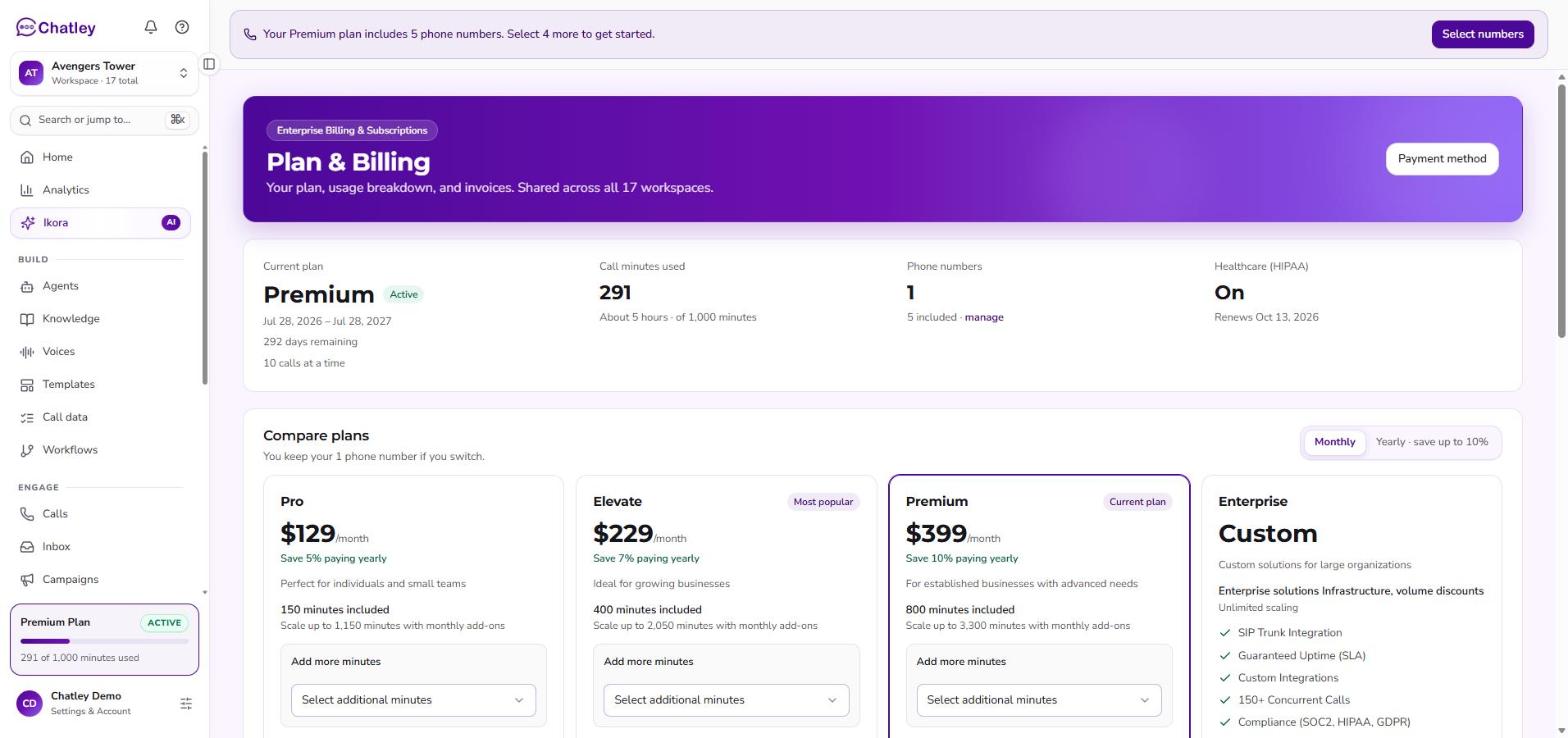
The Plan & Billing page.
Plan & Billing page
| Section | What it shows |
|---|---|
| Current plan | The plan you are on and its billing period. |
| Compare plans | Pick the plan that fits how many calls you take; See a detailed comparison expands the full list. The most popular plan is marked. Larger needs can Book a consultation. |
| Minutes | Minutes included in your plan, and a way to select additional minutes. |
| Phone numbers | The numbers your agents answer and call from, with Answered by. Numbers on your plan read Included in plan; extras are Billed separately. You can Release number or Get a number. |
| Payment method | The card on file. Receipts for card payments are here. |
| HIPAA | Request HIPAA compliance for your account. The request is sent for approval; turning it off stops the monthly fee from your next billing period. |
What the Plan tab shows
- Current Plan — the plan you are on, and its total.
- Active Calls — how many calls are running right now against how many your plan allows at once, plus how many lines are still Available.
- Limit — the usage your plan includes and how much of it you have used.
Concurrent calls are the limit people hit first. When every line is busy, new calls wait rather than fail — the app tells you when your AI is handling the maximum simultaneous calls. Moving up a plan adds parallel lines.
Managing your subscription
Select Manage billing on the Plan tab to open the billing portal, where you can change your payment method, download receipts, and update or cancel the subscription. Change of Plan? under Account → Update is a shortcut to the same thing.
Who can change billing
Billing belongs to the Owner of the account. If you are not the Owner and open the billing page, Chatley tells you that billing is owner-managed and points you at View plan usage instead — so you can still see the plan and how much of it is being used, without being able to change what is paid.
Ask your account Owner to make plan changes — see Team members & roles.
If your plan lapses
An expired or cancelled subscription stops the plan's allowances. The Plan tab reports the subscription as Expired or Cancelled rather than showing a plan name, and the phone numbers on the account stop being covered by the plan — an agent without a number cannot take calls. Restart the subscription from Manage billing to put the account back on a live plan.