Settings & Account
Manage your profile, password, and account status from one place.
Open Settings & Account from the app to manage everything tied to you personally — your name, how you sign in, and the status of your account.
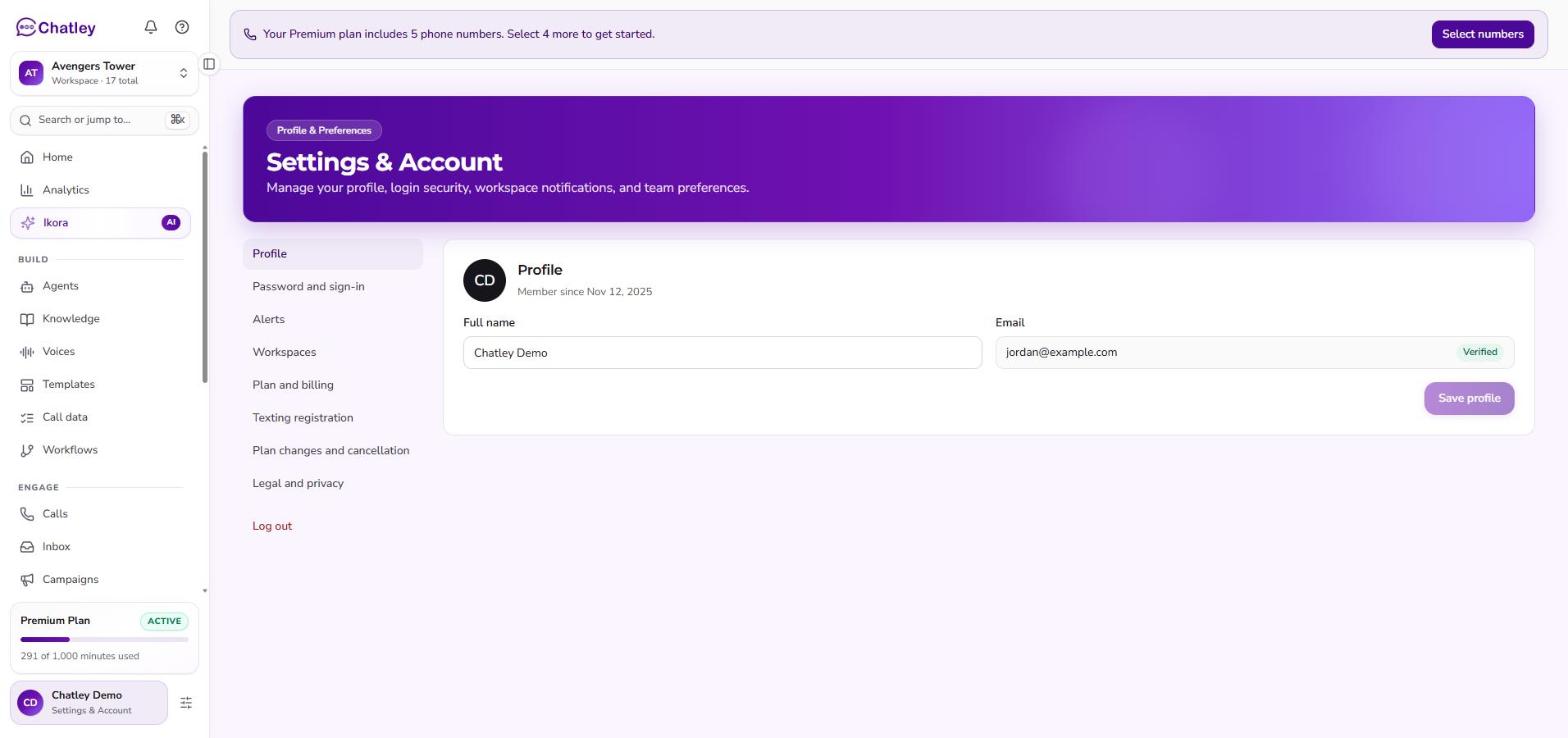
The account page.
The left menu
| Item | What it does |
|---|---|
| Profile | Your name, email and account status. |
| Password and sign-in | Change your password, or see that Google sign-in is in use. |
| Alerts | Choose which in-app messages you see, and read the ones you have dismissed. |
| Workspaces | Opens your workspaces. |
| Plan and billing | For account owners, opens Plan & Billing. Everyone else sees Plan and usage. |
| Invoices | For accounts billed by invoice. |
| Plan changes and cancellation | Switch plans, or cancel or resume your subscription. |
| Legal and privacy | The current Privacy Policy and Terms of Service. |
Profile
Shows who you are on Chatley and the state of your account:
| Field | What it means |
|---|---|
| Full Name | The name shown across the app. This is the one field here you can edit — change it and select Save. |
| Email Address | The address you sign in with and where Chatley sends account email. |
| Date of Joining | When the account was created. |
| Account Status | Whether the account is active. |
| Verification Status | Whether your email address has been verified. |
| HIPAA Compliance | Whether HIPAA handling is in force for this account. |
| Subscription | Your current plan, at a glance. See Plan & billing. |
Password and sign-in
Manage how you sign in.
If you signed up with Google, this tab shows that Google Authentication is in use and there is no separate password to maintain — you keep signing in through Google.
Otherwise you can change your password here. Enter your current password, then the new one twice. Chatley shows how strong the new password is as you type; pick something that clears the meter rather than the shortest thing it accepts.
Alerts, plan changes and legal
These live in the left menu:
- Alerts — choose which product messages you see inside Chatley, such as trial reminders and setup tips, workspace invites, and failed payments or paused service. Dismissed notifications are kept in an archive. Emails about billing and usage are not affected by these switches.
- Plan changes and cancellation — switch plans, or cancel or resume your subscription. See Plan & billing.
- Legal and privacy — the current Privacy Policy, Terms of Service and, for partner accounts, the Partner Terms.
Invoices
Accounts that are billed by invoice rather than by card have an extra Invoices tab listing the invoices issued to them. If you pay by card you will not see this tab — your receipts are in the billing portal instead, which you reach from Plan & billing.
Texting registration
Registering your business to send texts to US numbers is done from here too. See Texting registration.